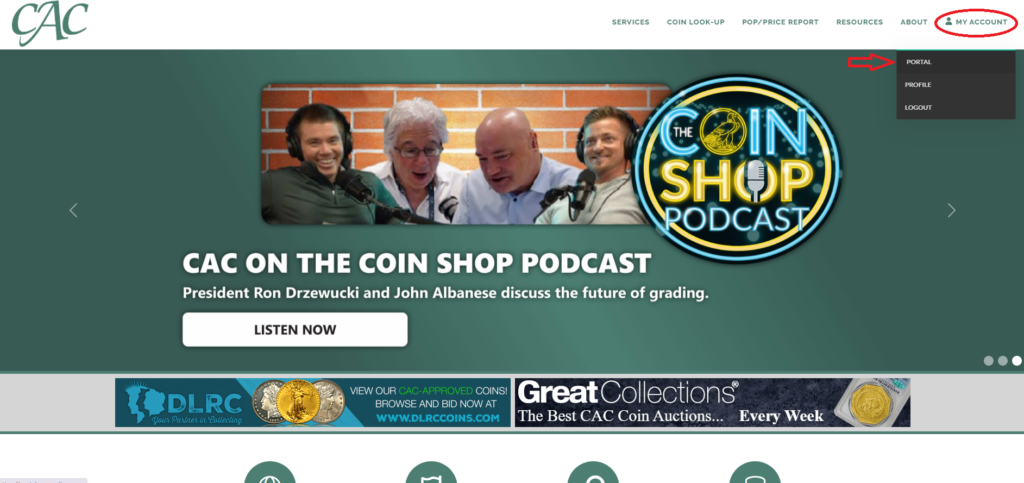
Welcome to CAC Grading’s User Portal guide! The portal is going to be your one-stop shop for managing your activity with us allowing you access to: create and track submissions, view and pay invoices, update your payment methods, and much more. We know navigating a new system can be daunting, but we are here to help if this does not answer your questions.
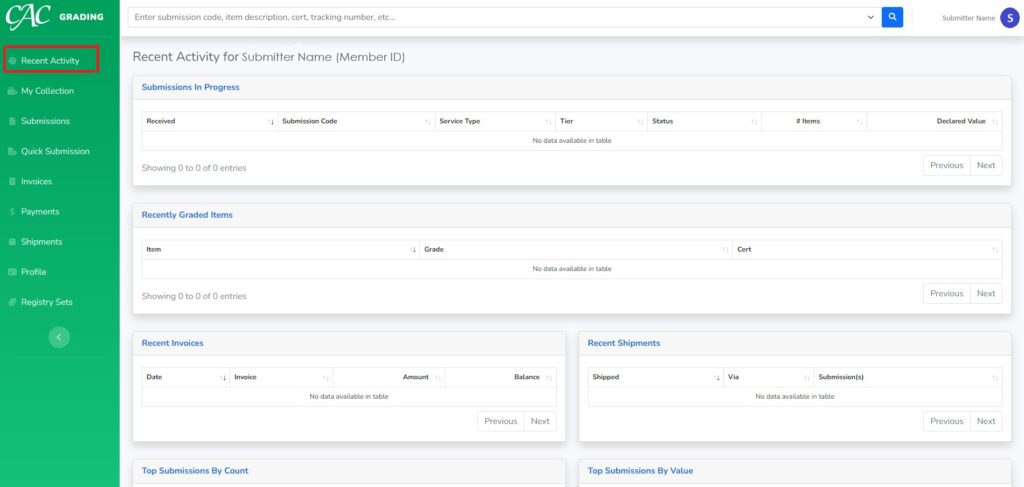
Recent Activity: This tab is used to summarize all your recent activity including your submissions, graded items, invoices, and shipments. If you’re unable to find a submission on this page, you can use the search bar at the top of the page to help locate it.
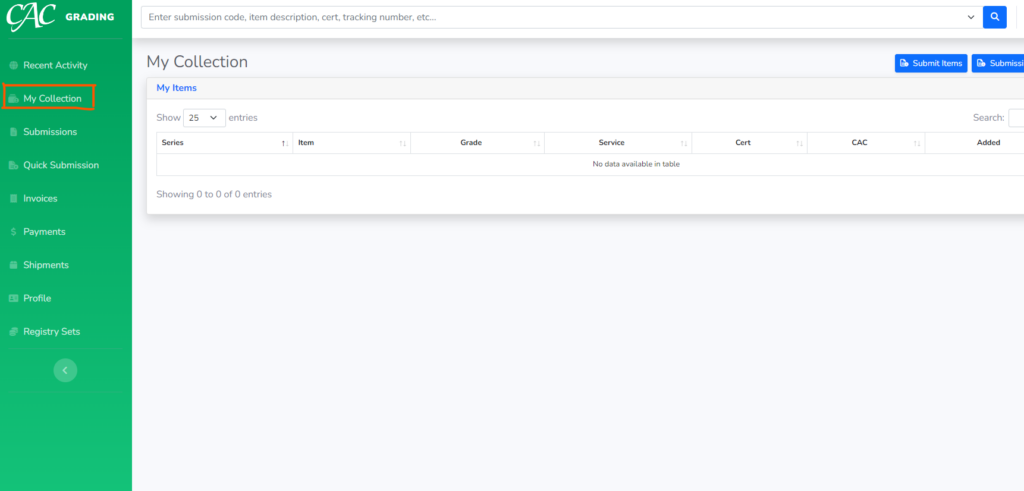
My Collection: This tab is intended to be a collector’s hub for tracking coin inventory. While most dealers may not have a use for this feature, we hope it will be helpful for those wanting to track their coin inventory in one place; this will also be linked to the CAC Registry, so there will be no need to enter your inventory again if/when you would like to participate there.
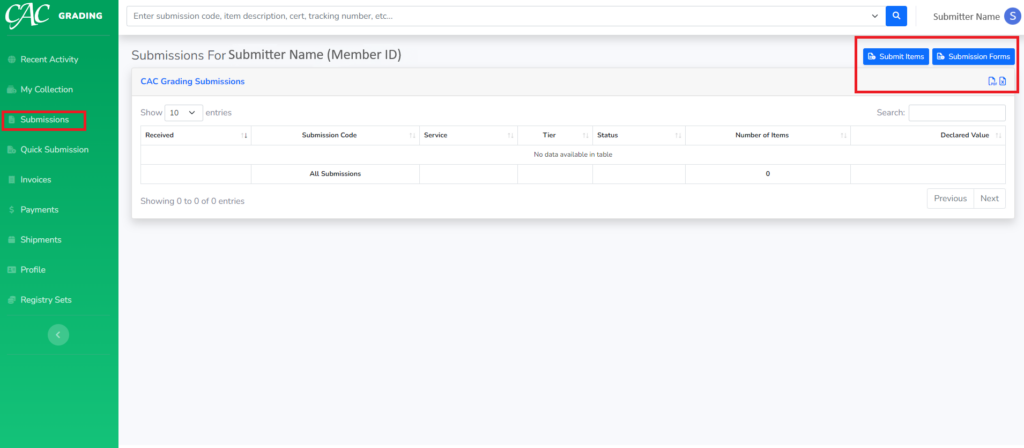
Submissions: This tab lists current and previous submissions that have been graded, including details of their status, number of items, declared value, etc. If you are looking for a specific submission, you can utilize the search bar at the top of the page. If you select the “submit items” button, it will take you to “My Collection” where you can then build an online submission. IS THIS TRUE? For specific instructions on how to submit coins through our portal, please review the How to Submit a Coin on the Customer Portal article. And if you have been a submitter for a long time, you should probably also review Portal Submissions – Tips for Pro Submitters. NEED TO ADD LINKS
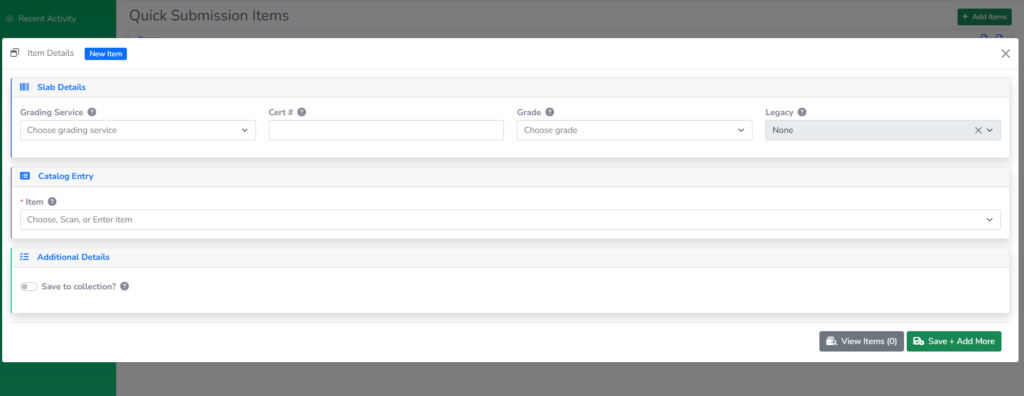
Quick Submission: This can be used if you have a group of coins that you are ready to submit, and you want to do it quickly without adding it to your collection first.
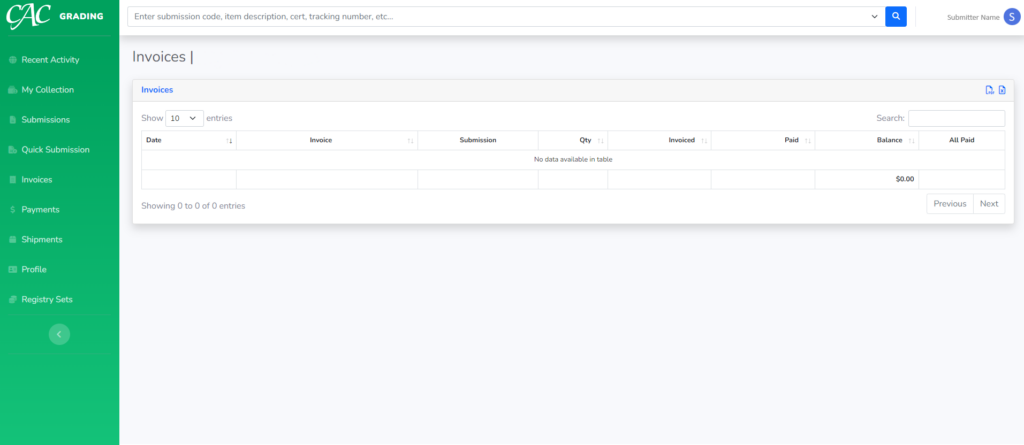
Invoices: This tab provides a view of all current and paid invoices along with the balances due. From this view, you are able to select and pay any open invoice(s). You are also able to export a list of your invoices should that be helpful to you.
Payments: This tab enables you to review all completed payments and identify how each payment was allocated to your invoices (or if a portion remains unallocated as a credit balance).
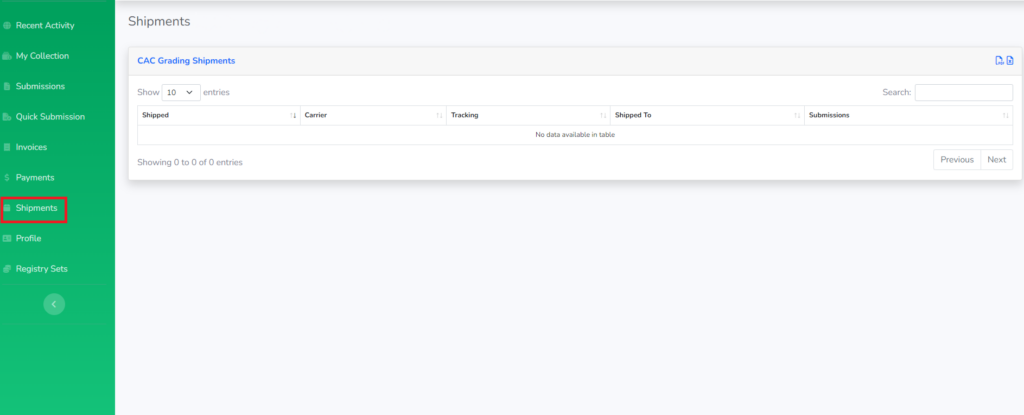
Shipments: This tab allows you to view all the submissions that have been shipped by CAC to you and to sort by date shipped, carrier, tracking number, and the submissions included.
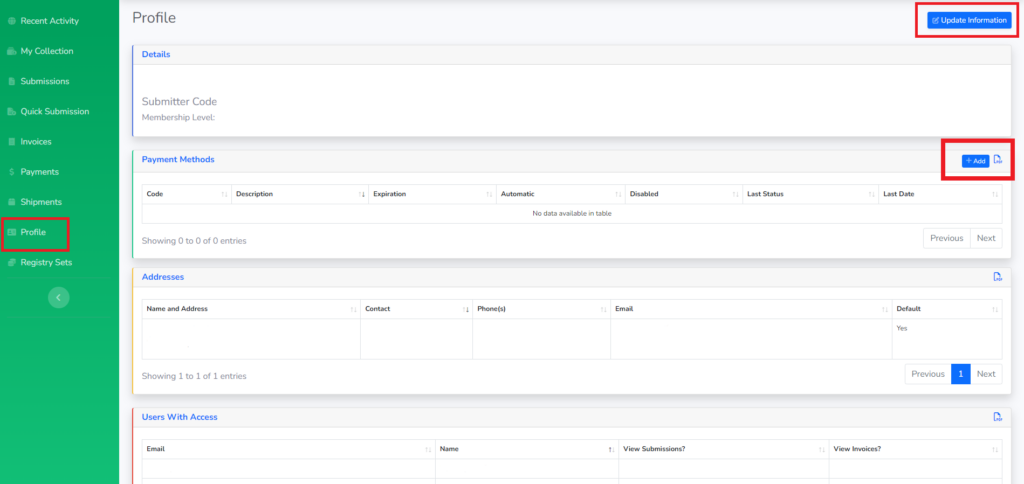
Profile: This tab allows you to view your personal information that CAC has on file such as your submitter number and membership type. you can add or remove payment methods on file as well. We believe this to be more secure than having payment methods written on submission forms, so please be mindful not to do that. For any changes to addresses or user access, please contact CAC Customer Care at help@cacgrading.com.